HOW TO CREATE AI VIDEOS WITH ZERO IDEA
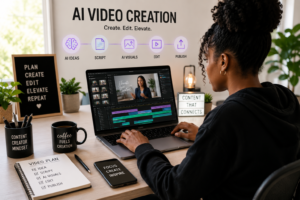
How to Create AI Videos With Zero Experience: A Beginner’s Step-by-Step Guide
When I first started creating AI videos, I spent a lot of time testing different AI tools and workflows. While the process taught me valuable lessons, it was often overwhelming and time-consuming. In this guide, I’ll share a simple step-by-step process that can help beginners create AI videos without making the same mistakes I made.
Introduction
AI video creation has become one of the fastest-growing trends in digital marketing and content creation. Today, creators can produce professional-looking videos using artificial intelligence without expensive equipment or advanced technical skills.
Whether you’re creating content for YouTube, Instagram, TikTok, or your business, AI tools can help you save time while improving your workflow. This tutorial will show you how to create AI videos with zero experience using a simple process that anyone can follow.
Why AI Video Creation Matters
Video content is one of the most effective ways to engage audiences online. AI tools help creators produce content faster while maintaining quality.
Benefits of AI video creation include:
- Reducing production time
- Lowering content creation costs
- Simplifying the editing process
- Increasing content consistency
- Making video creation accessible to beginners
Step 1: Choose Your Topic
Before creating your video, decide what message you want to share. Your topic could be educational, inspirational, promotional, or entertaining.
A clear topic will help you create a stronger script and better visuals.
Step 2: Write Your Script
Use ChatGPT or your preferred writing method to create a short script.
Focus on:
- Keeping your message simple
- Speaking directly to your audience
- Creating a strong opening
- Ending with a clear call to action
A well-written script is the foundation of a successful video.
Step 3: Generate Your Visuals
Once your script is ready, use AI image-generation tools such as Adobe Firefly to create visuals that match your story.
Try to keep the same style throughout the video so it looks professional and consistent.
Step 4: Animate Your Images
Upload your images into AI video tools such as Hedra or Runway.
These tools can add movement, facial expressions, and camera motion that make your content more engaging.
Step 5: Edit Your Video
Bring all your content into a video editor such as CapCut.
During editing:
- Add captions
- Include background music
- Adjust audio levels
- Remove unnecessary pauses
- Add smooth transitions
Editing helps transform individual clips into a polished final video.
Common Mistakes to Avoid
Many beginners make the following mistakes:
- Using too many AI tools at once
- Creating videos without a script
- Ignoring captions
- Using inconsistent visual styles
- Publishing without reviewing the final video
Avoiding these mistakes can significantly improve your results.
Conclusion
AI video creation has completely changed the way content is produced. By combining AI writing, image generation, animation, and editing tools, beginners can create professional-quality videos much faster than before.
As someone who creates AI content regularly, I have seen how these tools can save time while helping creators bring their ideas to life. Learning how to use AI effectively can give creators and businesses a valuable advantage in today’s digital world.
What AI tools have you tried? Let me know in the comments below. I’d love to hear about your experience and recommendations.